How to Make a Reservation for Vaccination via 'Jingtong' Mini-Program

Note: This process is only applicable to people aged 14 and above. For vaccination arrangements for children under 14, please contact the nearest vaccination clinic in your area by phone to consult and make an appointment. If registration (建档) is required, please take the child's past vaccination certificate to the vaccination clinic first, then check and handle relevant procedures via the "Jingtong" (京通) mini-program. For further assistance, please consult the clinic's staff.
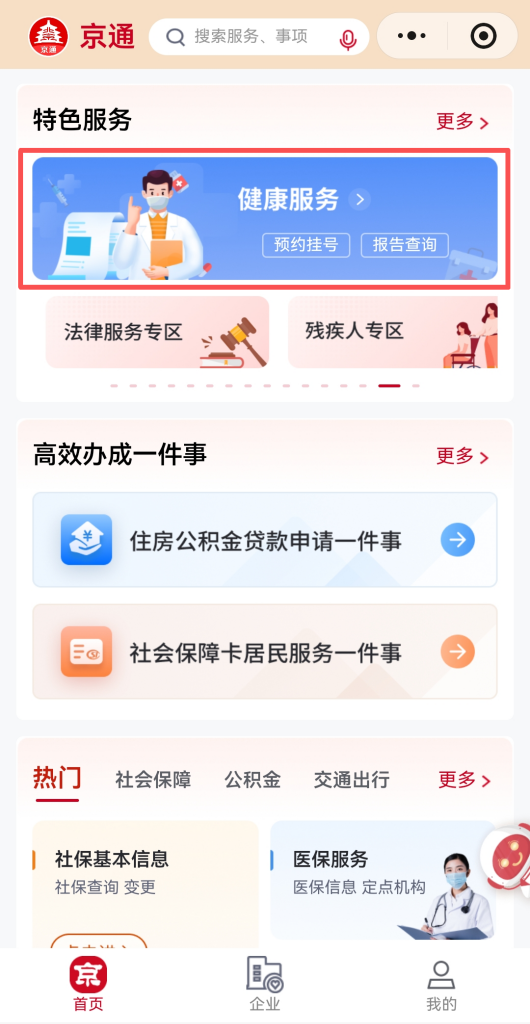
1. Open the "Jingtong" mini-program and tap "Healthcare Services" (健康服务).
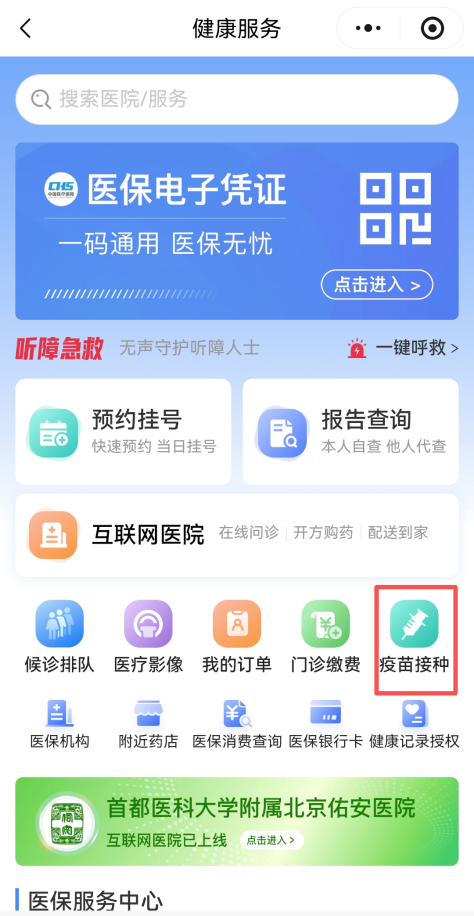
2. Tap "Vaccination" (疫苗接种).
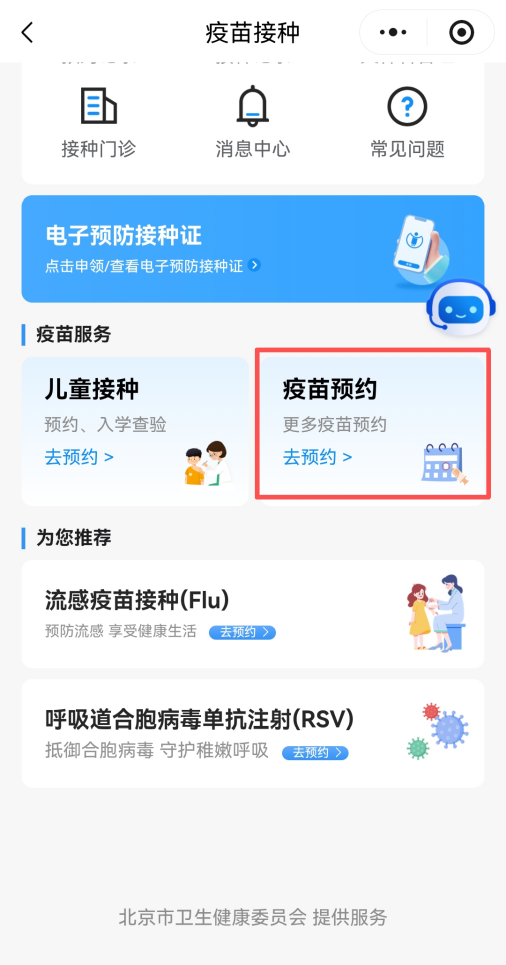
3. Tap "Reservation for Vaccination" (疫苗预约).
4. Select "Flu".

5. Select a hospital or community health service center, and tap the "Book" (预约) button.
(Reminder: You can check the information of hospitals or community health centers that provide foreign language services in Step 1.)
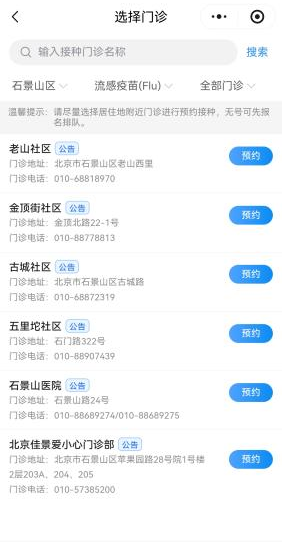
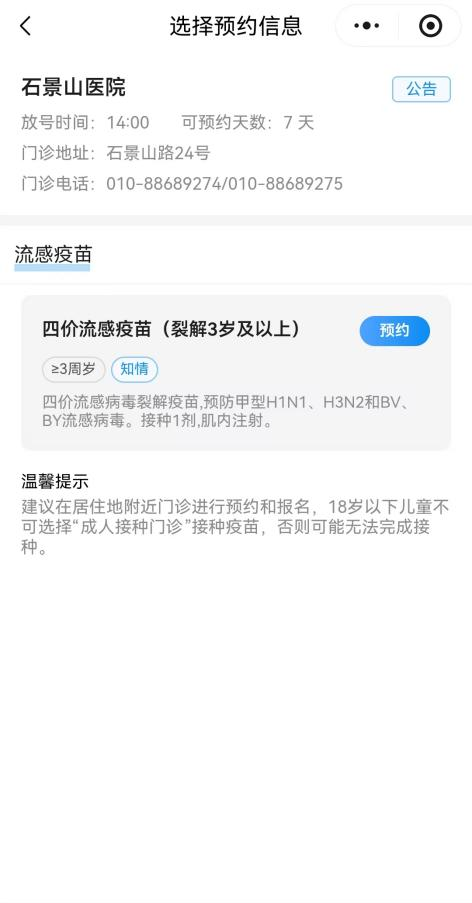
6. Tap "Book" (预约).
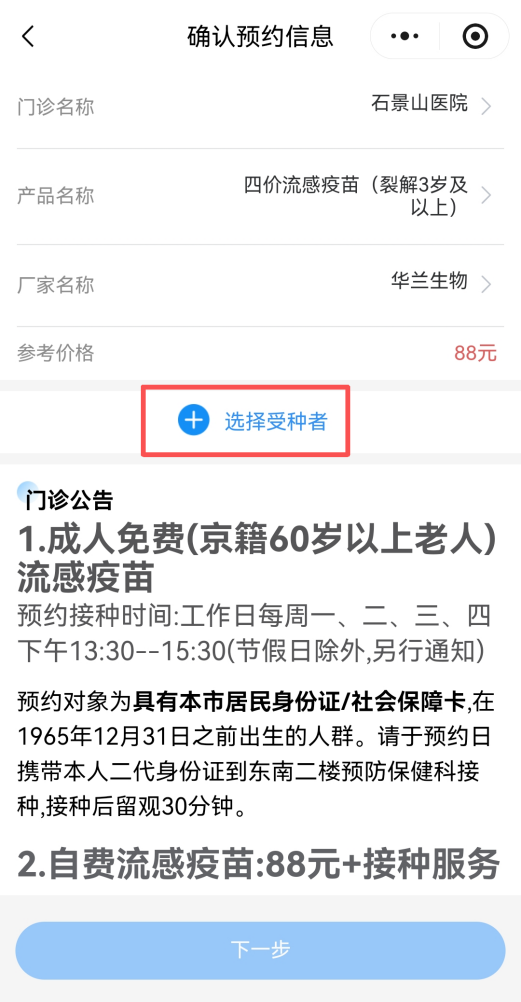
7. Tap "Select a patient" (选择受种者) to choose who will receive the vaccination.
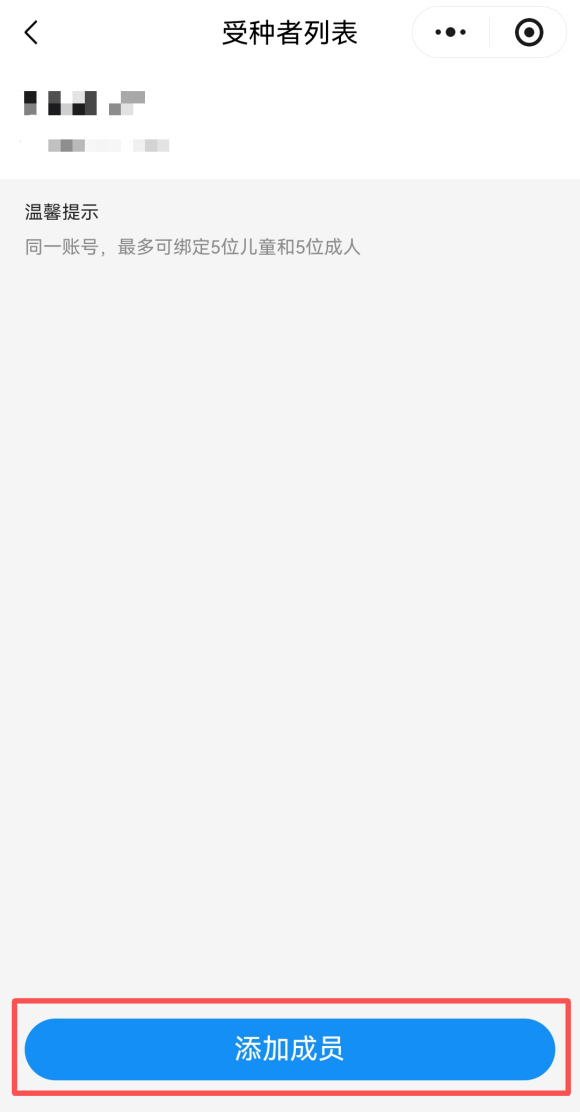
Notice: Users booking via the "Jingtong" mini-program for the first time are required to complete the following steps first:
· Tap "Add a patient" (添加成员).
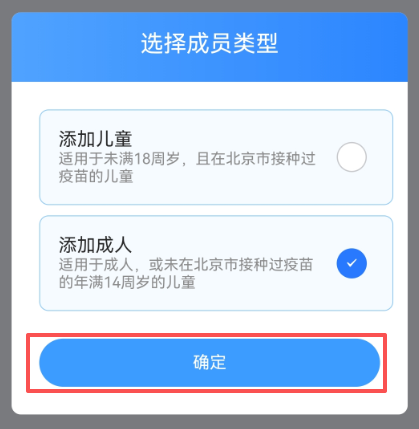
·Select "Add an adult" (添加成人) as the patient type (成员类型) and tap "Confirm" (确定).
(Note: The term "adult" here includes children aged 14 and above who have not received vaccinations in Beijing.)
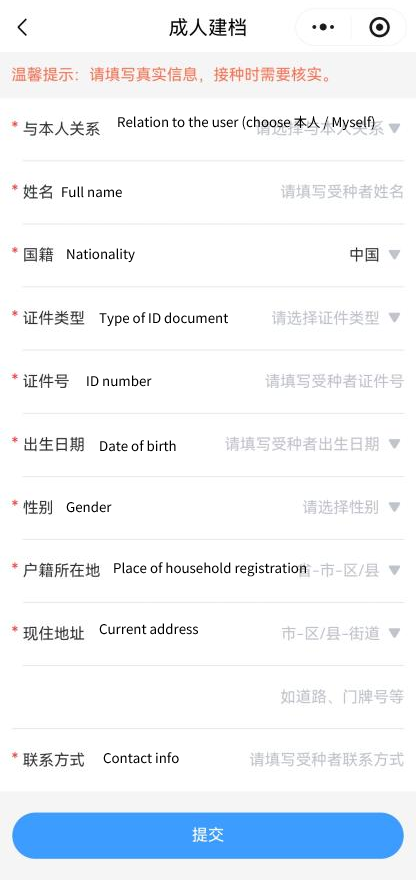
·Fill in the personal information of the registered person and tap "Submit" (提交).
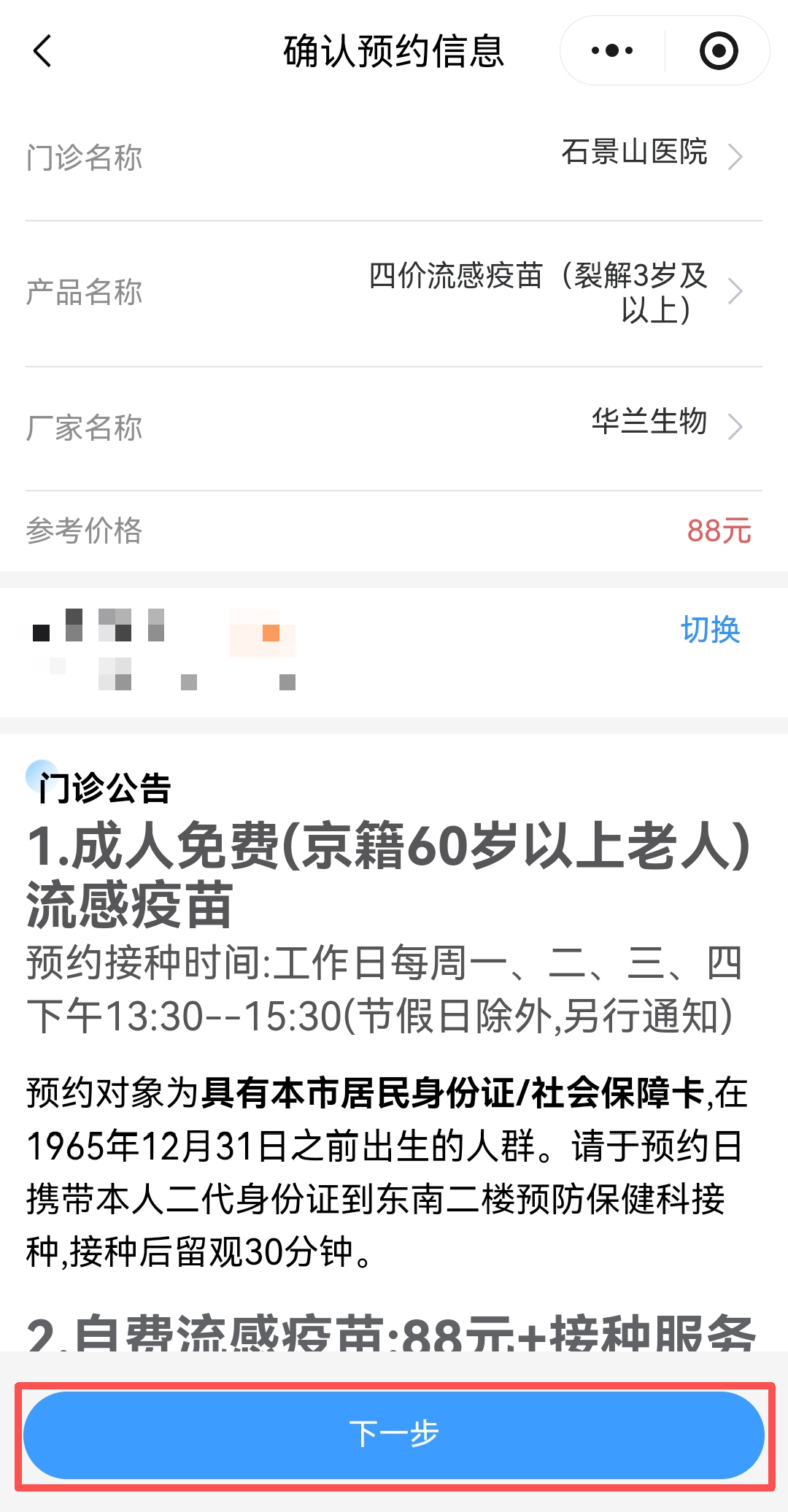
8. Review the appointment information and then tap "Next" (下一步).
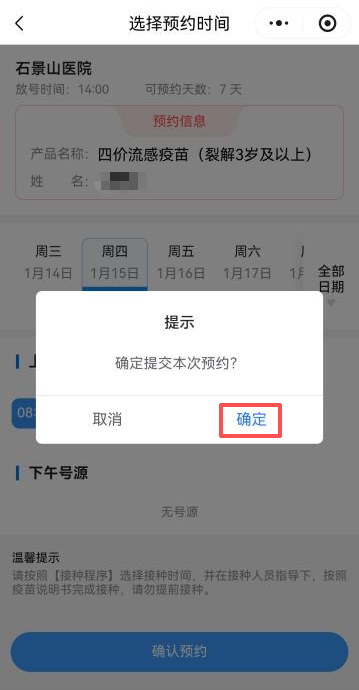
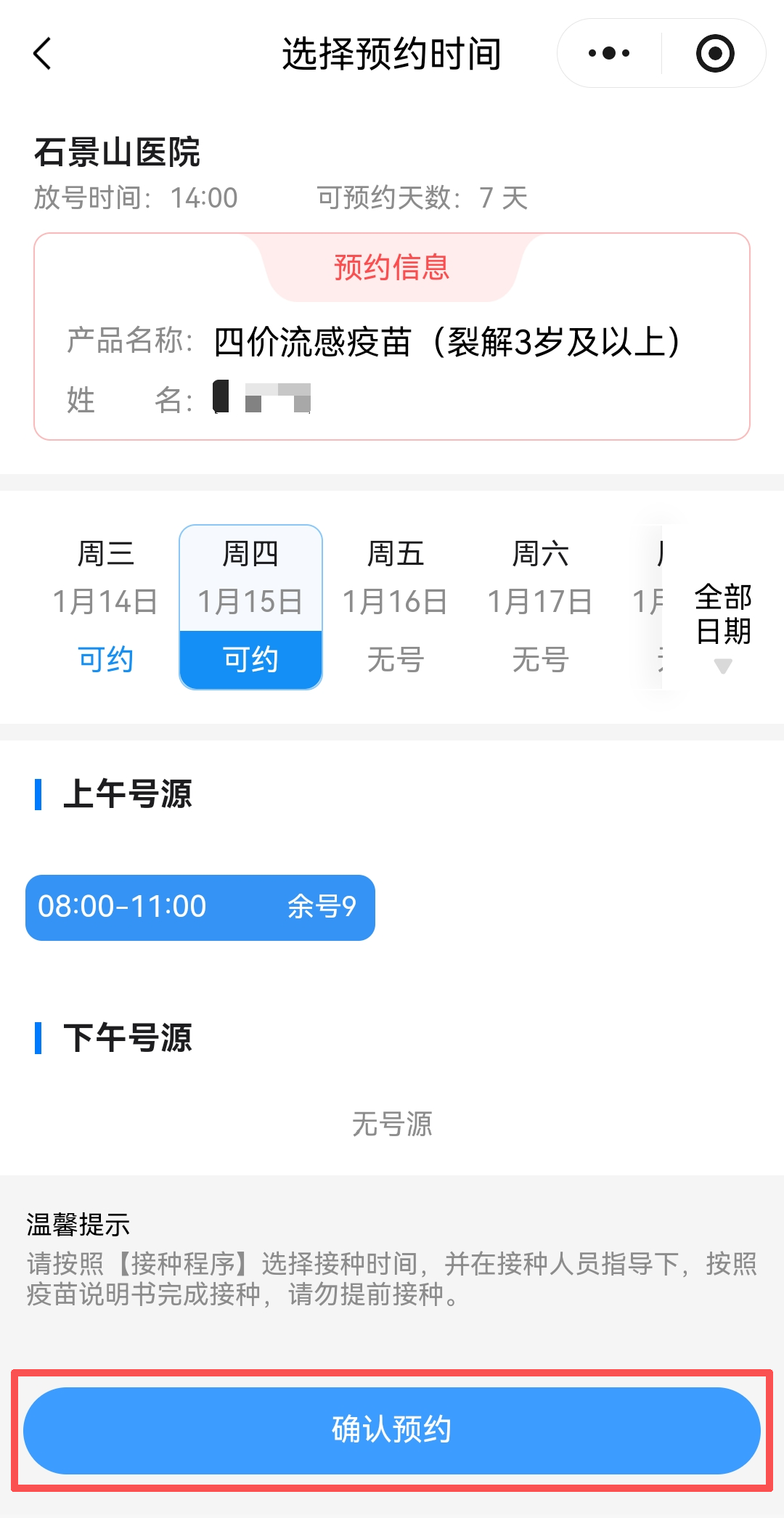
9. Select the vaccination time and tap "Confirm booking" (确认预约).
10. Tap "Confirm" (确定) in the pop-up window to complete the appointment.